Journal font sizes suddenly changed with recent update (1-2 weeks ago)
Journal font sizes suddenly changed with recent update (1-2 weeks ago)
Open- Feature
- Articles & Templates
- Reported by
- Zeepee
- Opened
- Assigned to
- Unassigned
- Last activity
- No activity yet
Description
Hi World Anvil Team/Support,
All my players have always been using the journal system, where they each update the last game session for future references. Each player have their own character page within the world, where they can see their own character profiles and jounals, as well as the other players characters and journals.
With one of the recent updates, the one that also expanded the editor-options for the player-journals, suddenly changed the font-size used for normal text/paragraphs. to a very small font.
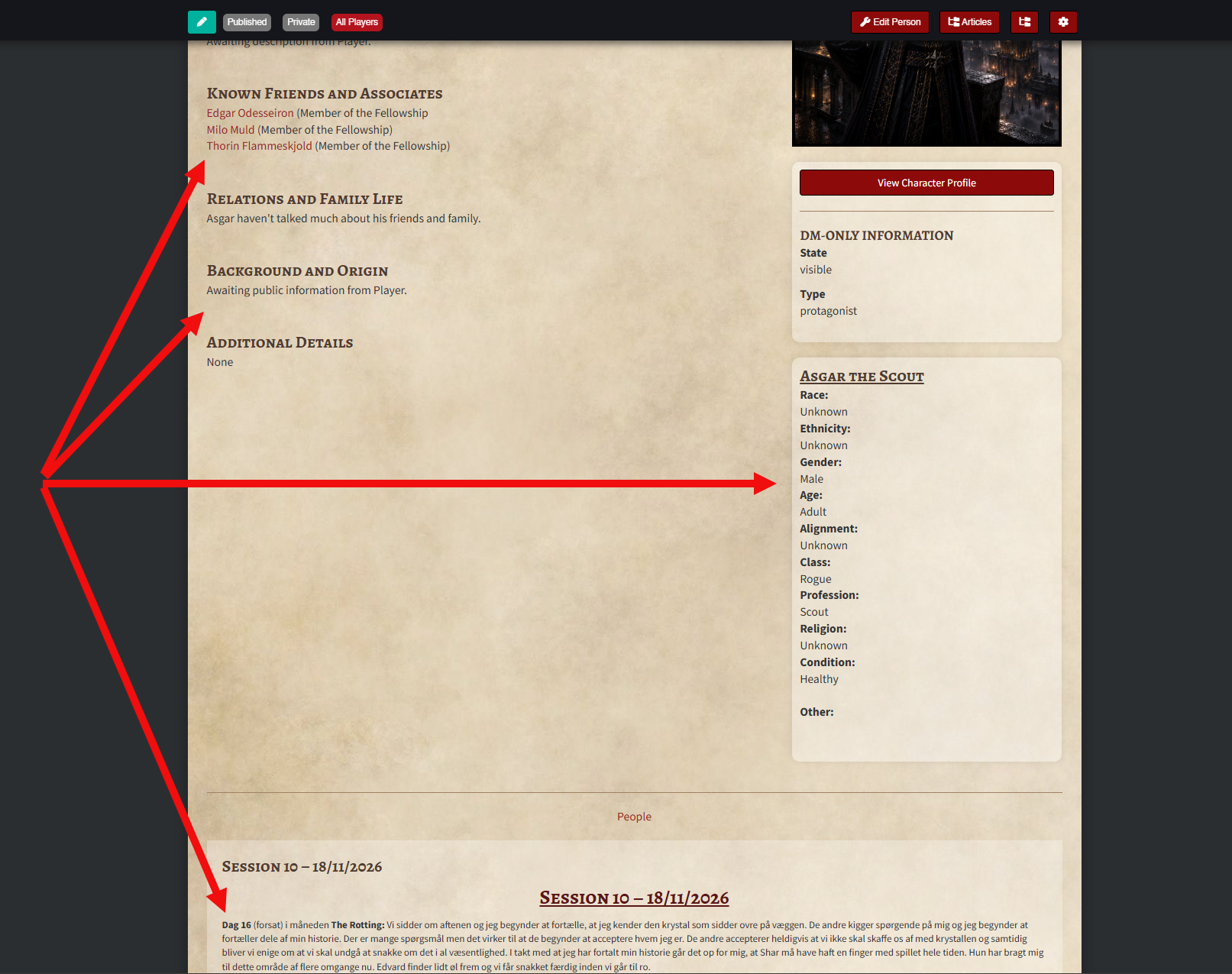
However, it is only the journals font-size that changed, the rest of the article page still uses the font-size of the world/article as seen on the image below:
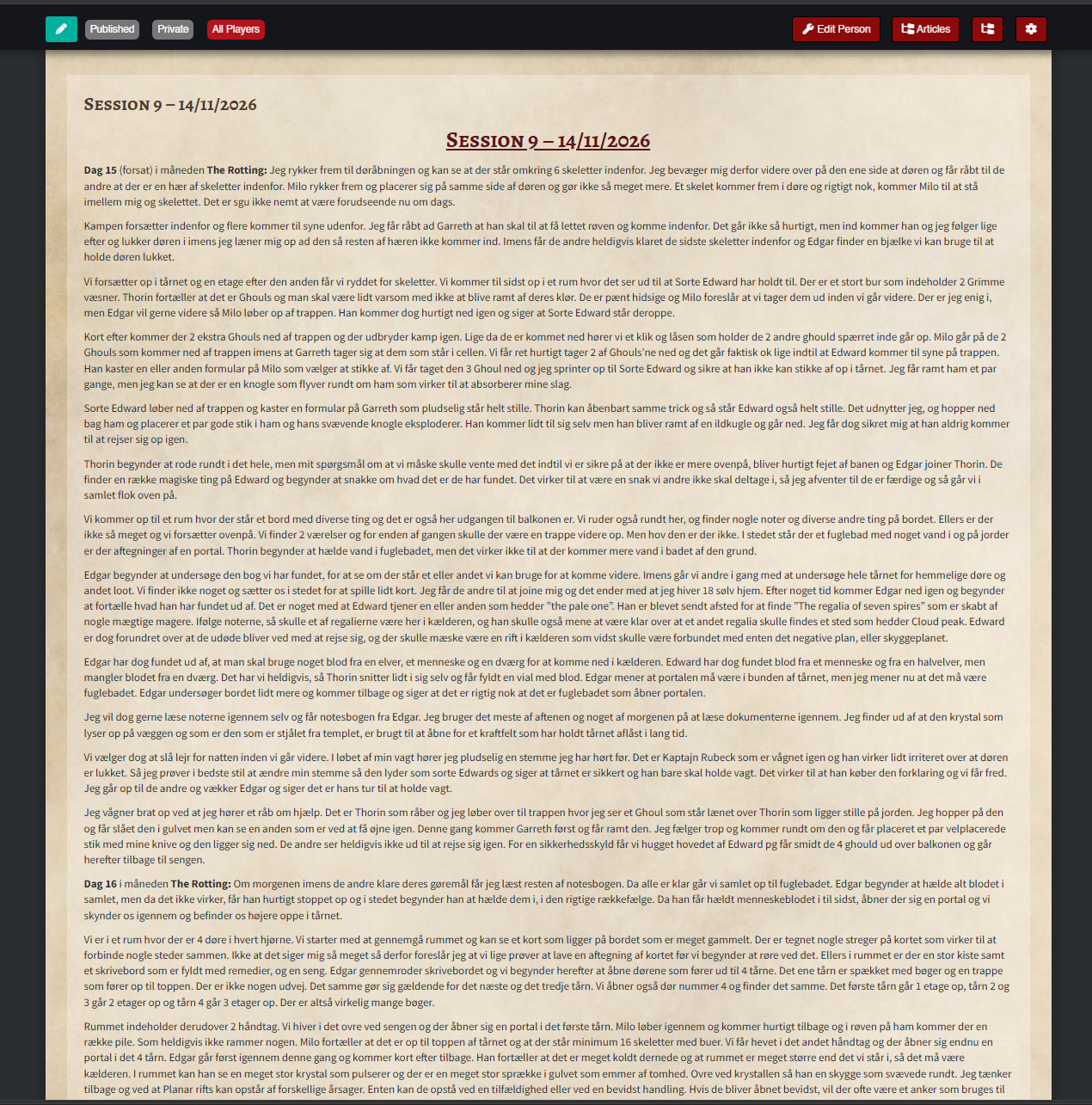
When you have full pages to go through like the excample below, this is really not good and quite a strain on the eyes.
Now, our world articles have always used the same CSS entry for all articles ever created, so it looks consistant.
All pages have these CSS commands put in.
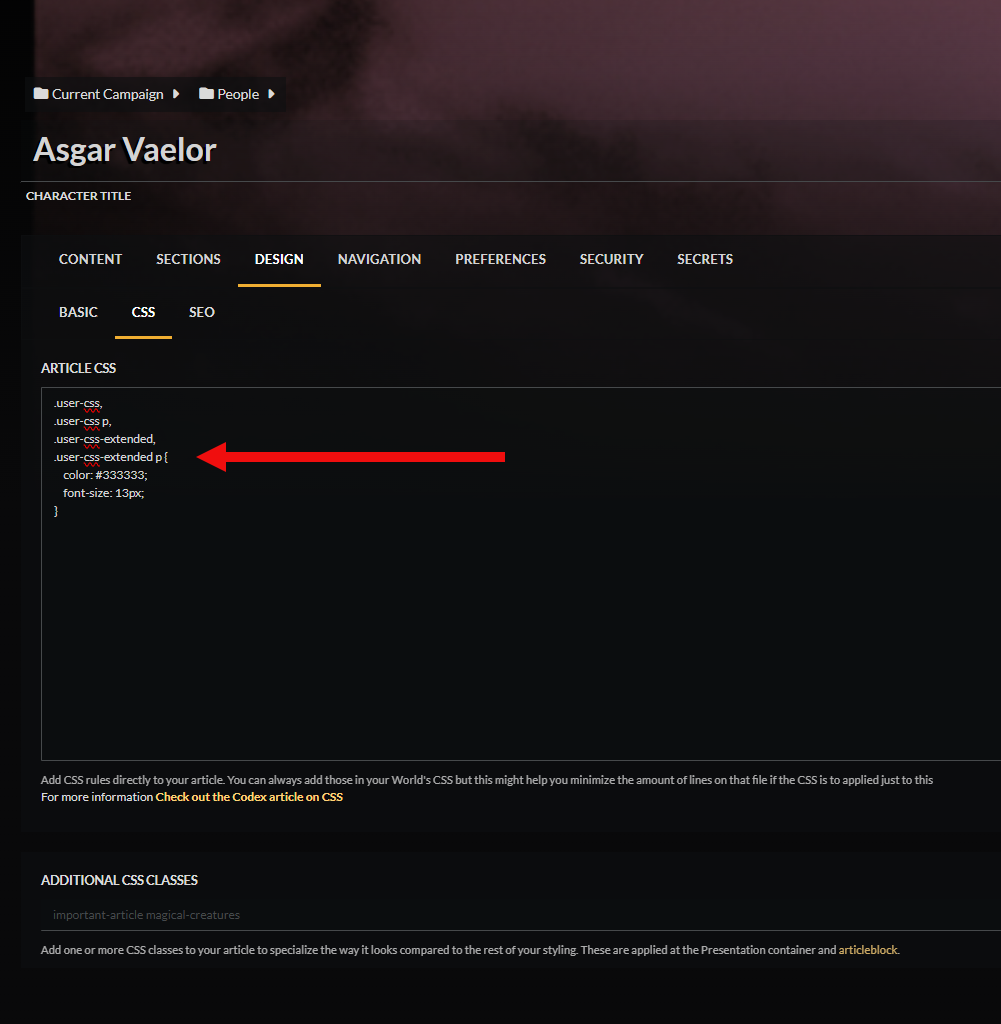
I have tried to change these, but they change both the article font-size and the journal font-size, so either one part is too big or the other part is too small.
I am no genius when comes to CSS or programming in genereal, so any help here is really appreciated.
How do we change the paragraf font-size of journals back what is was, before the editor update, is there a CSS command that only change the font-sizes of the journal text, that I need to add, or does my players need to make a change somewhere in settings somewhere, or maybe write a command inside their journals.
How to we fix this..?
We have been looking everywhere, but can't find a way to change this.
Please help.
Kind ragards.
Martin
All my players have always been using the journal system, where they each update the last game session for future references. Each player have their own character page within the world, where they can see their own character profiles and jounals, as well as the other players characters and journals.
With one of the recent updates, the one that also expanded the editor-options for the player-journals, suddenly changed the font-size used for normal text/paragraphs. to a very small font.
However, it is only the journals font-size that changed, the rest of the article page still uses the font-size of the world/article as seen on the image below:
When you have full pages to go through like the excample below, this is really not good and quite a strain on the eyes.
Now, our world articles have always used the same CSS entry for all articles ever created, so it looks consistant.
All pages have these CSS commands put in.
I have tried to change these, but they change both the article font-size and the journal font-size, so either one part is too big or the other part is too small.
I am no genius when comes to CSS or programming in genereal, so any help here is really appreciated.
How do we change the paragraf font-size of journals back what is was, before the editor update, is there a CSS command that only change the font-sizes of the journal text, that I need to add, or does my players need to make a change somewhere in settings somewhere, or maybe write a command inside their journals.
How to we fix this..?
We have been looking everywhere, but can't find a way to change this.
Please help.
Kind ragards.
Martin
Steps to Reproduce
All player affected.
Players use, Windows, Macs and Chromebooks with different browsers, everyone is affected with the same problem.
Players use, Windows, Macs and Chromebooks with different browsers, everyone is affected with the same problem.
History
Comments and updates to this report
Find your way!
Resources
WHO WE ARE
LEGAL
Listen to our Podcast




by 3 Armored Kittens · Prodromos v.1.1 - World Anvil 0.9.15.050 © 2017-2025 [en] | Anvil Time: 18:24, Nov 23 2026